How I built my Ecosystem Scorer app #
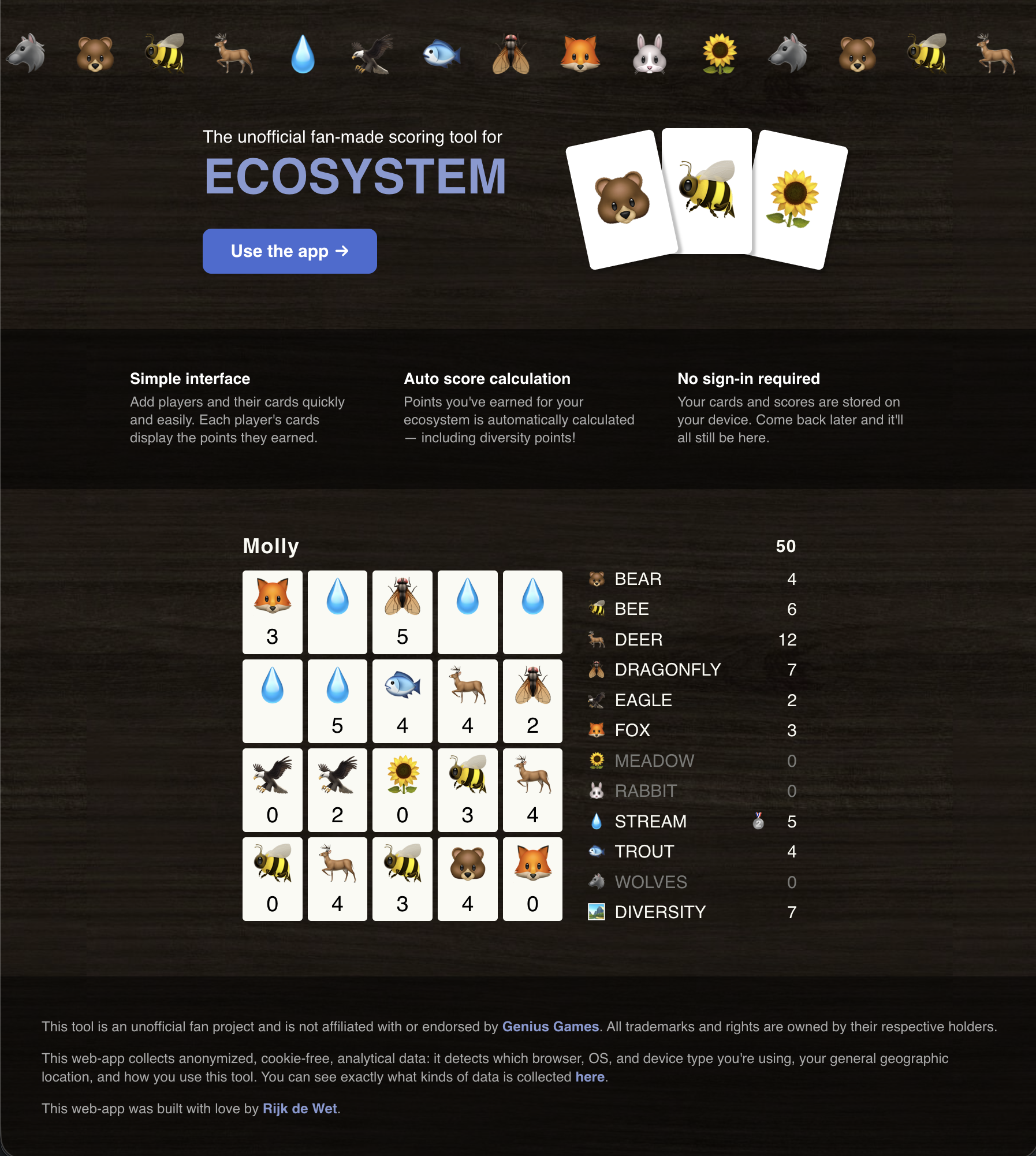
Keeping track of scores in board games can be tedious. In many games, someone gets stuck on scorekeeping duty, scribbling running totals on a notepad after every turn, double-checking sums, and occasionally discovering halfway through that they forgot to add someone's points three rounds ago. It's generally a drag for all involved, but hey, someone's gotta do it.
However, Ecosystem by Genius Games is an exception. It has a wonderfully unique scoring system that truly makes you think about every move you make. And what's more, scores are evaluated from scratch only at game end, so you don't track scores while you play. To me, this is one of the most attractive parts of this game — it gently nudges us to admire our complete ecosystems, to spot synergies, to find gaps that we ought to fill next round.
But once you've played a few rounds, you've got a grip on what a good ecosystem looks like, and all you want to know is who won (and maybe why they won). That's what prompted me to make my Ecosystem Scorer app.
Ecosystem's scoring — a quick overview #
Without copy-pasting the whole rulebook or delving into the gameplay, let's look at how Ecosystem's scoring works once the game ends.
Each player has in front of them a 4 × 5 grid of cards, and each card has an animal (e.g. a bear, an eagle, a fox) or environment (e.g. a stream or a meadow) on it. Each card's type governs how many points it earns, usually by looking at how it relates to others in the grid.
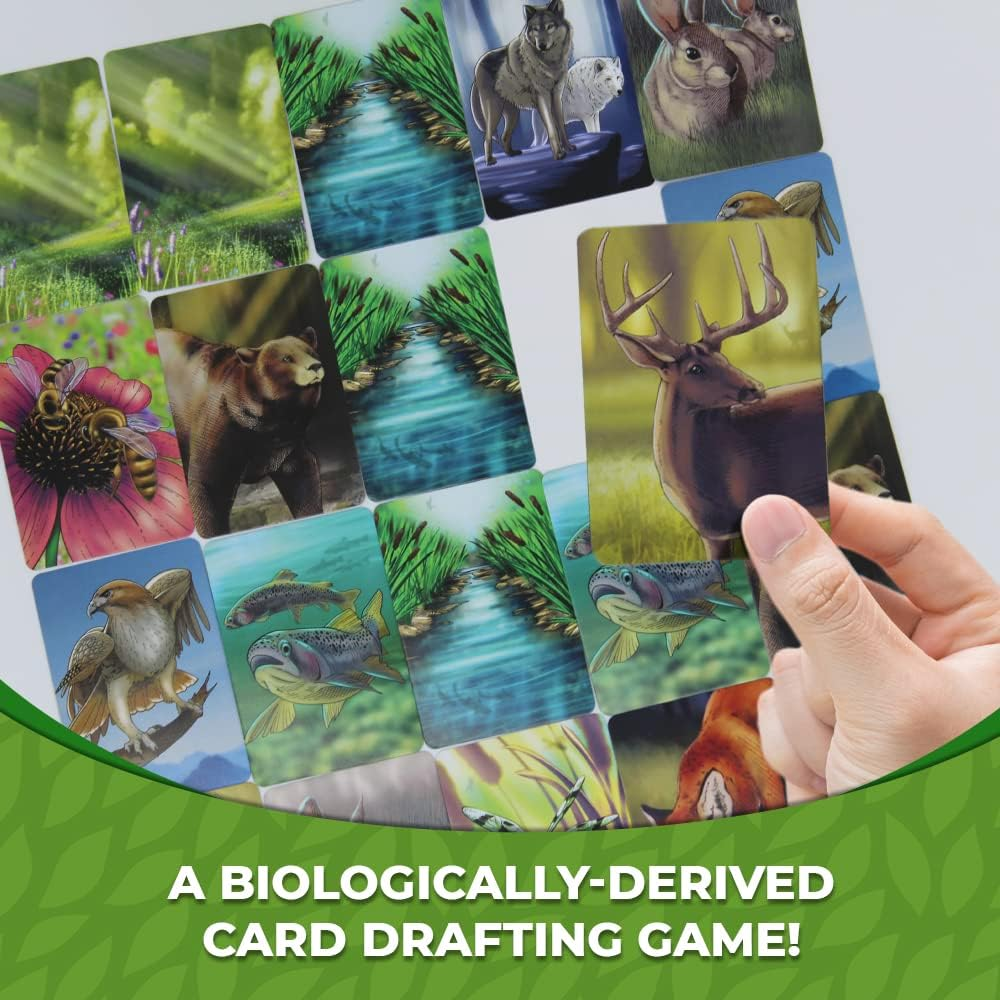
For example:
-
Each bear 🐻 card scores 2 points for each adjacent bee 🐝 card and each adjacent trout 🐟 card.
-
Bees 🐝 score 3 points per adjacent meadow 🌻.
-
Eagles 🦅 look in a 2-card radius and score 2 points per rabbit 🐰 and trout 🐟.
-
Meadows 🌻 score points based on the size of each contiguous area of meadows.
-
Streams 💧 — Players compete for the largest contiguous area of stream cards; that player scores 8 points, and the runner up scores 5.
-
Wolves 🐺 — Same as streams, but the wolves need not be adjacent. The winner gets 12 points, second place gets 8, and third place gets 4.
There are more, but the TL;DR is that each card type has unique rules around how they score points.
At scoring time, each player looks at their card grid (and opponents' for the sake of streams 💧 and wolves 🐺), evaluates how many points they scored for each card type, and adds them up for their subtotal scores.
Finally, there is a derived scoring category called "ecosystem diversity", where you get rewarded with bonus points if you scored points in all/most categories, or have points deducted if you didn't diversify your ecosystem enough. This category was often the kingmaker in our games!
My Ecosystem scoring tool — an even quicker overview #
My Ecosystem Scorer is simple to use:
- Add players
- Enter their cards in their grids
- ???
- Profit (i.e. see who won)
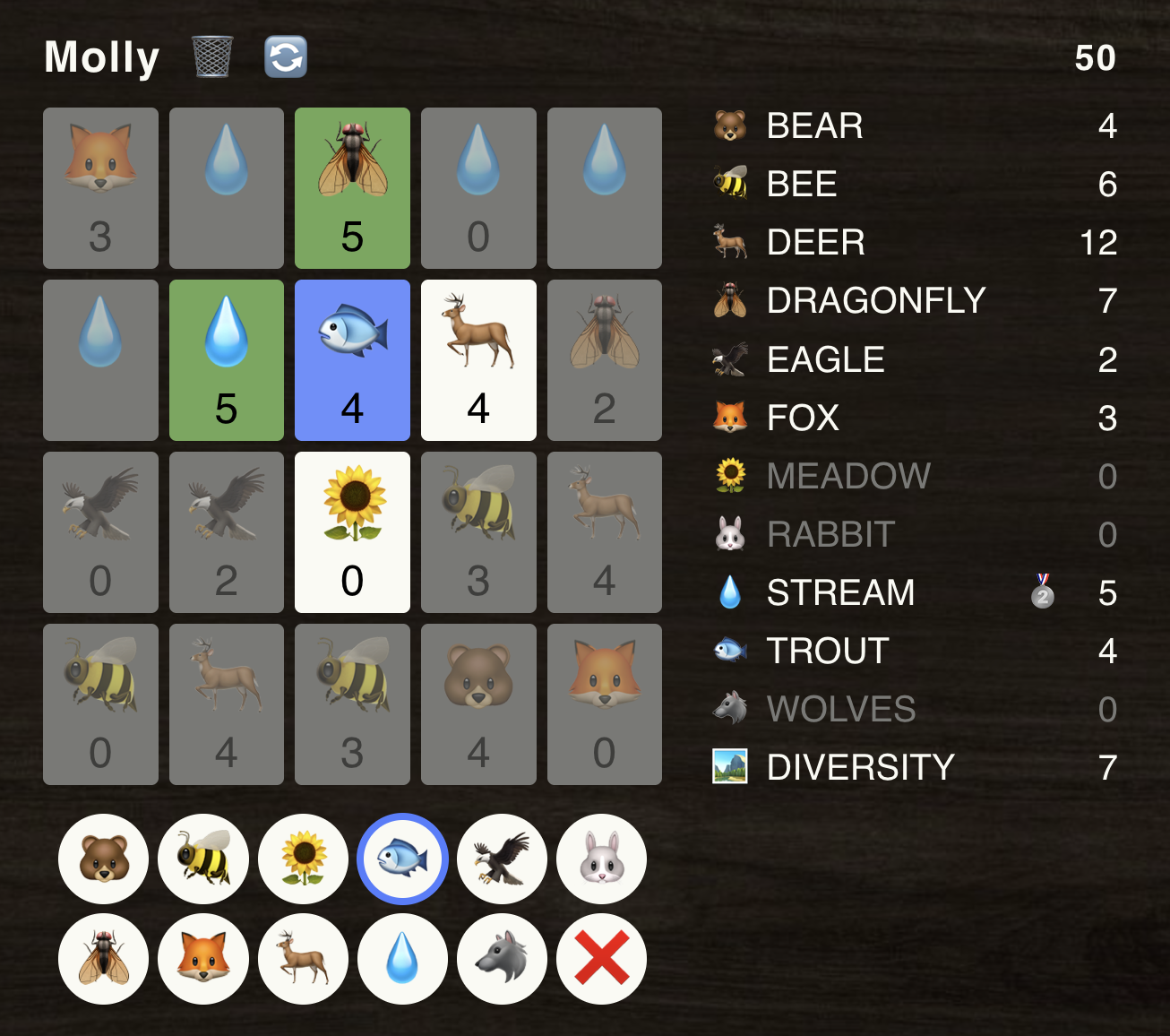
The Ecosystem Scorer will also show you:
- Scores — broken down by card, as well as by category (with rankings 🥇🥈🥉 for streams 💧 and wolves 🐺).
- Card relationships — the cards which a selected card considered for its scoring rules, possibly affecting its points value.
With all this background information finally in place, we can move on to how I built my Ecosystem Scorer. Let's see how each part works.
Scoring engine #
At its core, the Ecosystem Scorer transforms a set of card grids into a "score state", which most notably is the scores (of player's individual cards as well as by category) and card relationships. The scoring engine is responsible for just that.
I built the scoring engine as a standalone TypeScript package. This was for multiple reasons, not least among which are:
- UI agnosticism — changing UI framework or even running it headless would be no problem.
- Testability, which relates to UI agnosticism but is worth its own mention here, because isolating the engine has made testing a breeze.
- Separation of concerns — the engine only knows about Ecosystem's rules, not about rendering, persistence, or analytics, which keeps this part of the codebase small and focused.
The engine is laid out as follows:
A controller is responsible for orchestrating a series of scoring modules and for maintaining the score state while these modules (and a few other controller-owned operations) act on it.
class Controller {
  modules: Module[];
  scoreState: ScoreState;

  executeModules() {
    this.scoreState = this.modules.reduce(
      (intermediateScoreState, module) =>
        module.execute(intermediateScoreState),
      this.scoreState
    );
  }
}
A scoring module looks like this:
type Module = {
  execute: (state: ScoreState) => ScoreState;
};
Its single function, execute(), acts as a strategy of sorts, with the guiding principle that it should perform one atomic scoring "operation", and that it should perform its operation independently of other modules (though you'll soon see an exception).
The obvious way to adhere to this principle, then, is to structure the modules around the different card faces — BearModule does all the logic for calculating bear cards' scores and relationships, WolvesModule for wolves, etc. There is also:
DiversityModule, which handles the diversity scoring and so should run after all the card-based modules; andResetModule, which runs before all other modules, clearing the scores and relationships, thereby giving subsequent modules a clean slate to work with.
const controller = new Controller([
  new ResetModule(),
  new BearModule(),
  new WolvesModule(),
  // ...
  new DiversityModule(),
]);
Dependency injection is a great tool here. The controller doesn't care what these modules do or how many there are, it simply calls them in order whenever scores need to be evaluated. What's more, Ecosystem has a few sequels (such as Ecosystem: Coral Reef and Ecosystem: Savanna), which are played in the same way, but with totally new cards and scoring rules for those cards. If I want to extend my Ecosystem Scorer for these sequels, all I'd have to do is write new modules for the new card types and plug them in, without any need for changes to the controller (at least in theory — if the sequels introduced other mechanics, I might be out of luck).
The scoring engine should run after every user input to remain accurate, and sometimes an action requires a corresponding change to the score state (e.g. removing a player should delete their board, their rankings for streams 💧 and wolves 🐺, etc). So, the controller has functions like:
class Controller {
  // ...

  removePlayer(id: string) {
    this.scoreState = produce(this.scoreState, (draft) => {
      delete draft.pointsByPlayerId[id];
      delete draft.boardsByPlayerId[id];
      delete draft.categoryRankingsByPlayerId[id];
      draft.players = draft.players.filter((player) => player.id !== id);
    });

    this.executeModules();
    return this.scoreState;
  }
}
(produce() is from the great immer package.)
State management #
The scoring engine is great and all, but it wouldn't integrate well with a UI library (in my case, React). I want to access different parts of the score state from wherever, and I want to call the engine's operations from wherever. To bridge the gap, I called on the excellent Jotai.
(Yes, I probably could have managed with a simple React context, but since I wasn't sure if/when this project would outgrow what React has to offer, I went for the more powerful Jotai from the get-go. And it's more fun this way.)
To start, I set up some atoms for the score state:
const boardsAtom = atom<Record<string, Board>>({});
const playersAtom = atom<Player[]>([]);
// etc...
Then, I can use them in selectors (to borrow a term from Recoil):
const boardSelector = atomFamily((playerId: string) =>
  atom((get) => get(boardsAtom)[playerId])
);

const playerSelector = atomFamily((playerId: string) =>
  atom((get) => {
    const players = get(playersAtom);
    return players.find((player) => player.id === playerId);
  })
);

// etc...
(Unlike Recoil, Jotai doesn't have "selectors" per se, but you can achieve the same functionality with Jotai's atomFamily.)
Atoms and selectors are used to access the state. To mutate the state after each execution of the scoring engine, I wrote this helper function to update all the atoms based on a received score state:
function useUpdateProviderState() {
  return useAtomCallback((_get, set, updatedState: ScoreState) => {
    set(boardsAtom, updatedState.boardsByPlayerId);
    set(playersAtom, updatedState.players);
    // etc...
  });
}
It is used in every UI operation — for example, removing a player:
function useRemovePlayer() {
  const engine = useEngine();
  const updateProviderState = useUpdateProviderState(); // from above
  return (id: string) => updateProviderState(engine.removePlayer(id));
}
Let me elaborate on useEngine():
The app maintains a scoring engine instance in a React context.
This context then exposes the engine's operations (e.g. removePlayer), thinly wrapped so that it can also handle additional concerns such as local persistence across sessions and analytics, while keeping the engine's interface shape.
function EngineProvider({ children }: Props) {
  const [controller] = useState(buildController());

  // ...

  const removePlayer = useCallback(
    (...args: Parameters<typeof controller.removePlayer>) => {
      const newScoreState = controller.removePlayer(...args);

      // persistence
      syncStoredSnapshot(newScoreState);
      // analytics
      handleRemovePlayerAnalyticEvents(newScoreState);

      return newScoreState;
    },
    [controller]
  );

  // ...

  const contextValue = {
    addPlayer,
    removePlayer,
    updatePlayer,
    changeCardType,
    clearBoard,
  };

  return (
    <EngineContext.Provider value={contextValue}>
      {children}
    </EngineContext.Provider>
  );
}

function useEngine() {
  return useContext(EngineContext);
}
(Really, the state-managing EngineProvider definitely should not be responsible for analytics nor persistence. It would probably be better to inject these into the EngineProvider as callbacks, e.g. onRemovePlayer. It's on the to-do list, I promise.)
User interface #
As mentioned before, the Ecosystem Scorer uses React, with CSS modules for styling. A simple React Router setup provides for the /score route and the 404 page.
I structured my UI elements in the following hierarchy:
-
Components: Standalone reusable pieces of UI, such as
Card,CardTypeSelect, andCardGridHeader. Their appearance is purely determined by their props, and they may never access application-specific Contexts or other global state. -
Patterns: Recurring groupings of components in a specific layout. A great example in the Ecosystem Scorer is the
PlayerCardGrid, which combines:- a
CardGridHeader; - multiple
Cardinstances arranged in the 4×5 grid; - a
CardTypeSelect, which the pattern displays conditionally based on whether the user is actively modifying the grid; and - a
PointBreakdown, which the pattern displays conditionally based on whether the screen is wide enough.
Patterns also shouldn't access global state, but this requirement is less stringent than for components, at least in my opinion.
- a
-
Features: Application-specific pieces of UI that compose patterns and components and connect them to global state, so that the components and patterns beneath them can stay "dumb". In the Ecosystem Scorer, the
PlayersGridListis an example of a feature: It is responsible for rendering multiplePlayerCardGridinstances, all hooked up with the correct data and callbacks.
These definitions are roughly aligned with Dan Abramov's presentational and container components (otherwise known as "dumb vs smart components"), as well as others that I've found on the internet. We also use this hierarchy for our calculator widget's codebase at Omni Calculator.
I relied on emojis for the graphical elements of my UI. It was originally the plan to only use these as placeholder images on the cards, but later I realized I don't want to risk any copyright issues. (Plus the style had begun to grow on me.) 🐻 🐝 🦌 💧 🦅 🐟 🪰 🦊 🏞️ 🐰 🌻 🐺
Storybook #
I tackled the UI development with a bottom-up approach. Storybook was a huge help here — I could create previews of components and patterns in different configurations without needing to wire up the full UI yet.
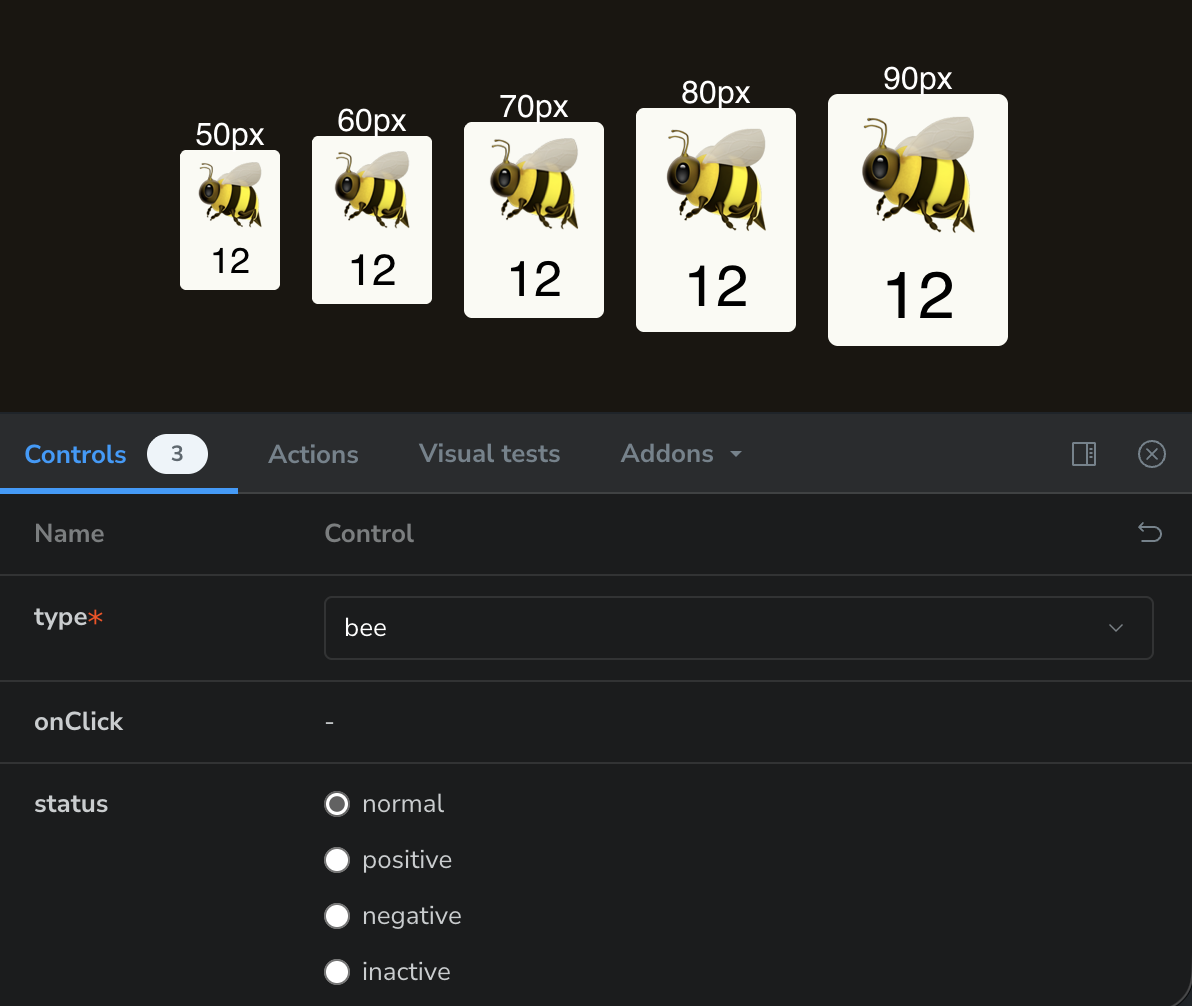
Card component.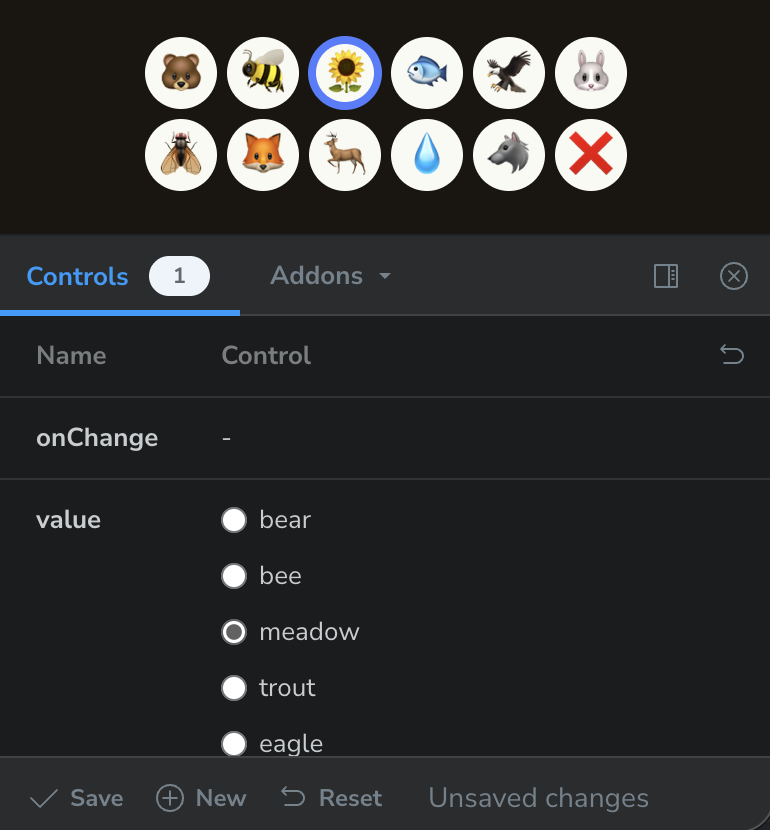
CardTypeSelect component.Tests #
I wrote extensive tests for the scoring engine with vitest, approximately 50. Most of these are unit tests for the individual scoring modules, with some integration tests based on examples from the game's rulebook. While writing this blog post, I discovered I wrote no UI tests. Oops.
Analytics #
I added some basic analytics events gathering with Umami, mostly so I could monitor if anyone ever uses it, and how. I wrapped window.umami with a simple typed event sender:
enum AnalyticEvent {
  SCORE_PAGE_PLAYER_ADDED = "score_page_player_added",
  SCORE_PAGE_PLAYER_REMOVED = "score_page_player_removed",
  SCORE_PAGE_PLAYER_CARDS_RESET = "score_page_player_cards_reset",
  SCORE_PAGE_PLAYER_NAME_CHANGED = "score_page_player_name_changed",
  SCORE_PAGE_FIRST_CARD_SELECTED = "score_page_first_card_selected",
  SCORE_PAGE_GRID_COMPLETED = "score_page_grid_completed",
}

type AnalyticEventDataMap = {
  [AnalyticEvent.SCORE_PAGE_PLAYER_ADDED]: {
    playerIndex: number;
    // ...
  };
  // ...
};

function sendEvent<T extends AnalyticEvent>(
  event: T,
  data: AnalyticEventDataMap[T]
) {
  if (!window.umami) {
    // it's not set up on the webpage
    return;
  }
  window.umami.track(event, data);
}
... which I can call neatly with:
sendEvent(AnalyticEvent.SCORE_PAGE_PLAYER_ADDED, typeCheckedEventData);
Thanks for reading! There must be other ways in which an Ecosystem Scorer app could be built, but I think I did a good job here — the code is clean, there is clear separation of responsibilities between its components, and the codebase is overall a pleasure to work with and to extend. I particularly hope this post gave you some insight into how I like to build web applications.
Happy building!
— Rijk
Copyright Rijk de Wet 2026